

I often leave agents working while I do something else. Sometimes the work doesn't finish. I quit the app to install an update, my laptop restarts, or a provider usage limit cuts a long Codex session short. When I come back, I want three answers: which chats stopped, why, and what happens if I press Resume.
Version 1.16.1 of the Unstoppable Code desktop app answers all three. I built most of this flow, and this is how I use it.
Seeing what stopped
Interrupted work shows up in the Continue row on Home, with a line such as "Resume 1 chat · 2 waiting for Codex reset". If a usage limit is the cause, the Usage page also counts the waiting sessions and says when the limit resets. Opening a session from there doesn't resume it. It just takes me to the chat, which is what I want when I'd like to look first.
Reading the dialog before I resume
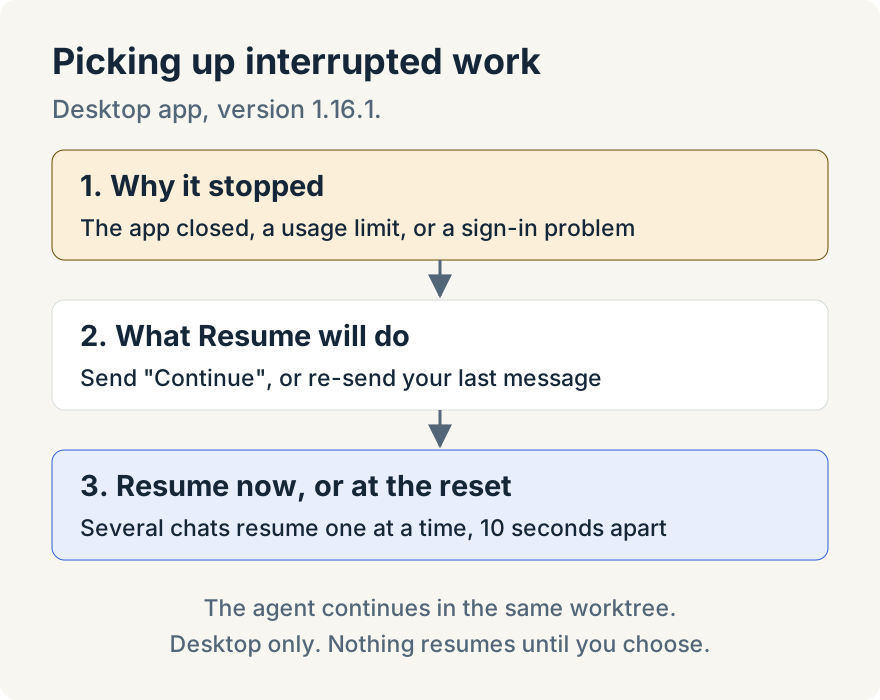
The resume dialog starts with the reason, for example "A Codex usage limit stopped this chat." Each row says whether the chat is ready now or when its limit resets, and marks a worktree with uncommitted changes. It also shows the last step the agent took and when the work stopped. If the transcript proves that step finished, the row says so; otherwise it only names the step.
The sentence I read every time is the one about what Resume will do. For most chats it says: "Resuming sends "Continue" in this chat, so the agent picks up where it stopped without sending your original request again." For some chats it re-sends my last message instead, and the dialog says that. It also says the agent continues in the same worktree. I don't have to wonder whether a long prompt is about to run twice.
Now or at the reset
Chats that are ready can resume straight away. For a chat that is still waiting on a usage limit, I choose Resume at reset, and Undo takes that back if I change my mind. When I resume several chats together, they go in a queue and start one at a time, 10 seconds apart.
Inside the chat
If I open a chat the app closed on, a notice in the chat says the app "closed before this chat finished", with Resume chat and Dismiss. It uses the same sentence about what resuming sends, so I get the same answer wherever I start.
Where it stops
This is in the desktop app only. Web and cloud chats don't have these controls. Nothing resumes on its own: I resume each chat or schedule it with Resume at reset. The uncommitted-changes marker tells me there are changes, not how many.
Try it
Picking up interrupted work is in version 1.16.1 of the desktop app. Download Unstoppable Code to try it.