

Memory in Unstoppable is shared by default. A chat can draw on what was saved for the project it's in and on what was saved for you across projects, and what it learns can feed a profile built from all your chats. That sharing is useful most of the time. It's a poor fit for a client project, or any work whose notes shouldn't show up somewhere else.
Version 1.8.0 of the Unstoppable desktop app adds a Private memory setting for that case. Its description reads: "Only use memory from this project. This project's memory won't be used elsewhere." Aaron Quirk built it.
Turn it on
For an existing project, open the project's settings. Private memory is on the General tab of code, multi-repo and Cowork projects.
When you add a project, the choice is under Advanced in Add project. It's off by default, and if you turn it on, the collapsed section reads Advanced · Private memory on so the choice stays visible. Add project saves the setting before the project opens; if that save fails, the project stays closed and offers a retry instead of opening with the setting off.
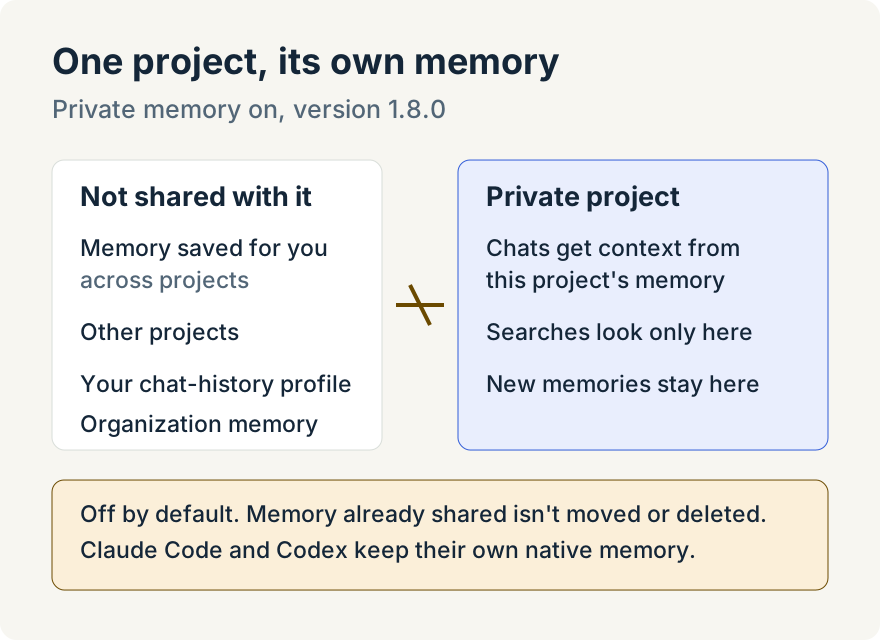
What changes
With Private memory on:
- The project's chats get context only from the project's own memory, and memory searches look only there.
- Agents can't read or save memory in your personal scope from this project, so a note made here stays with the project.
- Notes imported from Claude into the project stay in the project, even if they ask to be saved more widely.
- The profile built from your chat history skips the project, and organization memory doesn't draw on it.
The setting is read each time memory is used, so turning it on or off affects chats that are already open.
Organization projects
In a project your organization manages, the organization decides. The switch shows the organization's choice, is disabled, and reads Managed by followed by the organization's name.
Where it stops
- It doesn't move or delete anything. Memory that was already shared before you turned the setting on stays where it is.
- Provider memory is separate. Claude Code and Codex keep their own memory stores, which this setting doesn't control.
- Off by default. Projects keep sharing memory until you turn it on.
For how memory works in general, see Nick Shatilo's How I use memory with agents.
Try it
Private memory is in version 1.8.0 of the Unstoppable desktop app. Download the app, open a project's settings and turn on Private memory on the General tab.