
Codex vs Cursor comes down to how you like to work: Codex is OpenAI's coding agent that you hand a task to and review later, and Cursor is an AI code editor where you write code with the AI right next to you. Codex comes with ChatGPT plans and runs OpenAI models. Cursor sells its own plans, and since SpaceX bought it in August 2026 every plan includes Grok models.
The Short Answer
| Codex | Cursor | |
|---|---|---|
| Made by | OpenAI | Anysphere, part of SpaceX since August 2026 |
| What it is | A coding agent in the ChatGPT desktop app, a CLI, an IDE extension and the cloud | An AI code editor with an agent, Tab autocomplete, a CLI and cloud agents |
| Models | OpenAI models | Grok models on every plan, other providers at API list price on Premium and up |
| How you pay | Included in ChatGPT plans | Cursor's own plans |
| Lowest paid plan | Go, $8 a month | Plus, $8 a month (Grok models only) |
| Next plan up | Plus, $20 a month | Premium, $30 a month |
| Top individual plan | Pro, $100 to $500 a month | Ultra, $200 a month |
| Teams | Business, $20 per user a month (yearly) | Teams, from $30 per user a month |
| Cloud agents | Codex on the web, from Plus | Cloud agents, from Premium |
| Code review on pull requests | Automatic code review, from Plus | Bugbot, from Premium |
| Best for | Tasks you want back as a finished change | Code you want to write and shape yourself |
One file works in both. Codex and Cursor each read an AGENTS.md file in your repo for project instructions.
How Codex and Cursor work differently
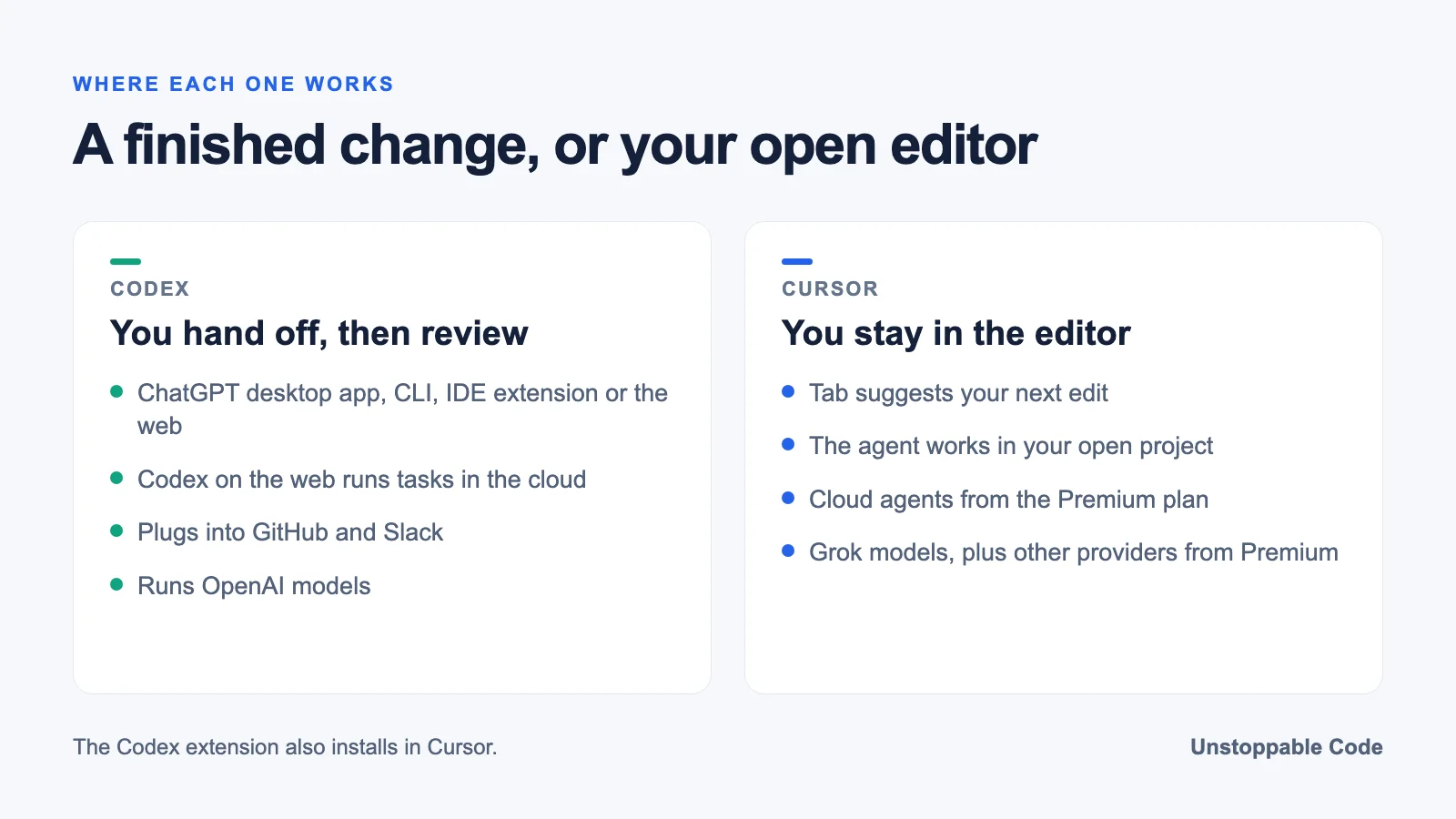
Cursor started as an editor. You type, Tab guesses the next edit, and the agent panel sits beside your code. When you ask the agent for something bigger it works in your open project, so you watch every change land.
That's great when you want to be in control. It also means you're the one keeping the agent on track, step by step.
Codex takes the other approach. You give it a task in the CLI, the ChatGPT desktop app or the web, and it works until it has a change for you to review. Codex on the web runs tasks in the cloud, so you can start a few and walk away.
What changed between Cursor and OpenAI in 2026
This comparison got more interesting in August. SpaceX closed its purchase of Cursor on August 14, 2026. Two weeks later OpenAI said it would wind down its contract to supply models to Cursor and wouldn't provide its future models there. It set November 12 as the end date. On November 12 OpenAI posted an update saying it had temporarily extended Cursor's access past that date. As of November 24, 2026, it hadn't set a new end date.
Cursor's plans changed too. The pricing page now lists Plus at $8 a month with Grok models only, Premium at $30, Super at $100 and Ultra at $200. Premium and up add cloud agents, Bugbot reviews and third-party models at API list price.
So if you picked Cursor mainly to use OpenAI models, check what your plan includes today. If you picked it for the editor, not much has changed.
Where Codex is stronger
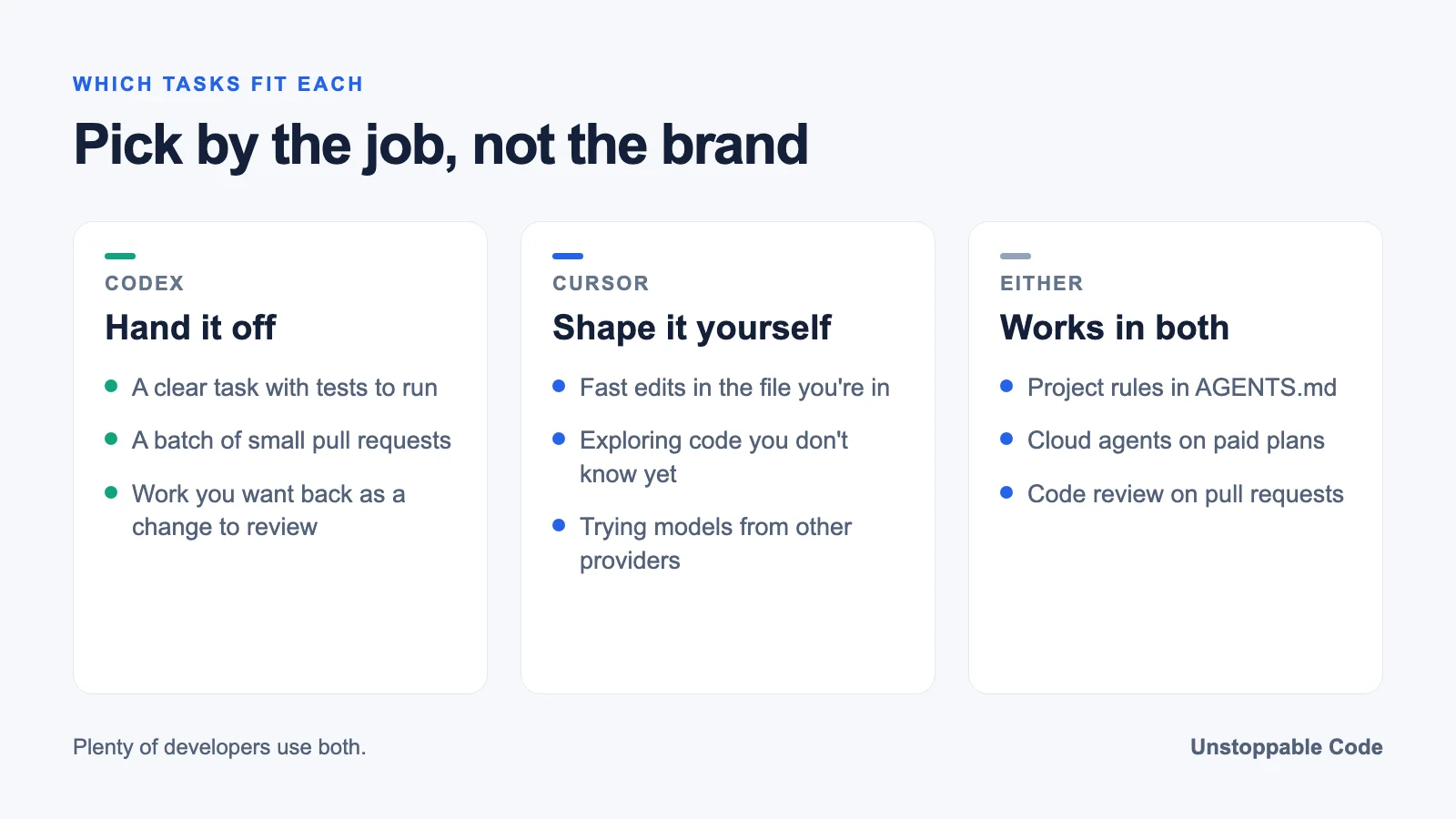
Codex is better when you'd rather hand work off than type it. It also plugs into GitHub and Slack, so a task can start where the request shows up and come back as a pull request.
An agent that works alone needs a way to check itself. That check doesn't have to be huge. A few tests you trust, a typecheck and a linter give Codex something to run before it hands the change back.
In a Stack Overflow pulse survey published in May 2026, 63% of technologists said they rarely or never let agents run entirely on autopilot. Codex's review step fits that habit, because nothing lands until you look at it.
Cost matters too. Codex is included in ChatGPT plans, so if you already pay for ChatGPT you can try it at no extra cost.
Where Cursor is stronger
Cursor wins when the work is hands-on. Tab completion and an agent that works in the file you're looking at make small changes fast. Plan Mode lets you agree on the approach first. Cursor also has a CLI and cloud agents now, so it can take a task and run with it too.
The bigger difference is models. Codex runs OpenAI models only. Cursor gives you Grok on every plan and other providers on Premium and up. If you want to switch models per task without switching tools, that matters.
Both read AGENTS.md for how your team works, and Cursor adds rules and skills on top.
How the pricing compares
Both start at $8 a month. The $8 plans aren't the same deal though, because Cursor Plus only runs Grok models and leaves out cloud agents while ChatGPT Go is meant for lighter Codex tasks. ChatGPT Plus at $20 gets you Codex on the web, the CLI, the IDE extension and automatic code review. Usage on Plus resets every five hours and weekly limits may also apply, but Pro plans at $100, $200 or $500 have no five-hour limit.
On Cursor, Premium at $30 is the first plan with cloud agents and Bugbot. Super and Ultra give you 15x and 50x the usage of Plus. For teams it's $20 a user a month on ChatGPT Business billed yearly, against $30 and up on Cursor Teams.
Which one should you pick?
If you'd rather review finished changes than write them, start with Codex. It's probably already in your ChatGPT plan. If you live in your editor and want AI on every keystroke, use Cursor.
You don't have to pick one, either. The Codex IDE extension installs in Cursor, so you can keep Cursor's editor and hand bigger tasks to Codex from the same window. Same idea as running Codex next to Claude Code.
Once you're running more than one agent, you need a way to keep their work apart. I run Codex inside Unstoppable Code, our app for running AI coding agents side by side. It works with my ChatGPT plan, and each agent gets its own copy of the repo (a git worktree) so their changes don't collide. We compared it with Cursor in Cursor vs Unstoppable Code.
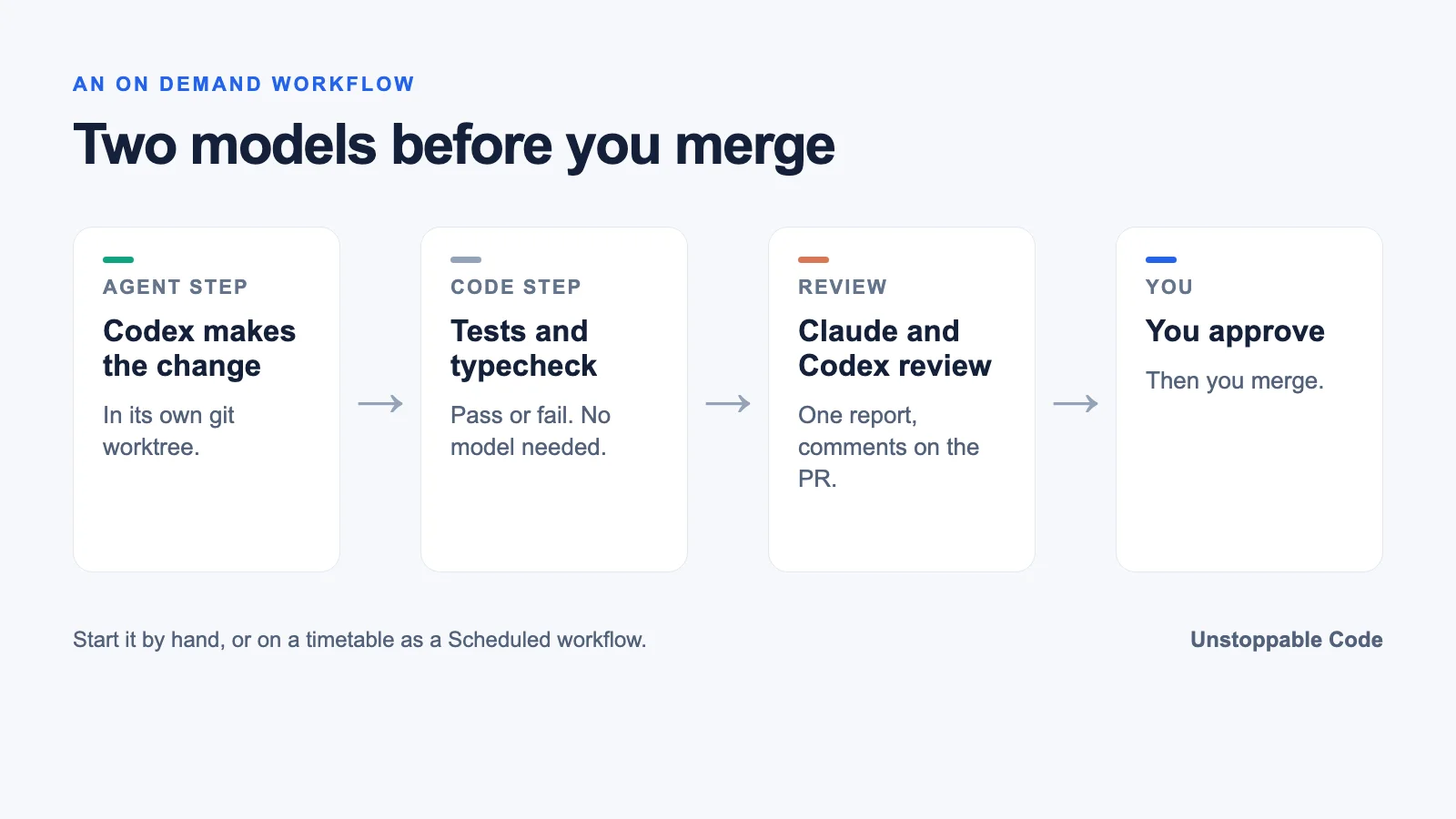
Before I merge, a Code Review workflow (a saved set of steps that runs on a branch) has Claude and Codex review the same branch. A workflow can use a different model for each step and run plain checks like tests between the agent steps.
Frequently Asked Questions
What is the difference between Codex and Cursor? Codex is OpenAI's coding agent that works through tasks in the ChatGPT desktop app, a CLI, an IDE extension or the cloud and hands back a change to review. Cursor is an AI code editor with Tab autocomplete and an agent that works alongside you, plus a CLI and cloud agents.
Is Codex better than Cursor? Neither is better for every job. Codex fits tasks you want to hand off and review later. Cursor fits work you want to write and steer in the editor yourself.
Can you still use OpenAI models in Cursor? As of November 24, 2026, yes. OpenAI said in August 2026 that it would wind down its model contract with Cursor after SpaceX bought it, with a November 12 end date. On November 12 it temporarily extended that access. OpenAI also said it won't provide future models to Cursor.
How much do Codex and Cursor cost? Codex is included in ChatGPT plans: Go at $8 a month, Plus at $20 and Pro from $100. Cursor's plans are Plus at $8 (Grok models only), Premium at $30, Super at $100 and Ultra at $200 a month.
Can I use Codex inside Cursor? Yes. OpenAI's Codex IDE extension supports VS Code and compatible editors, and its setup guide lists Cursor.
Sources
- Pricing, Codex (ChatGPT Learn), checked November 24, 2026.
- Codex IDE extension, ChatGPT Learn, checked November 24, 2026.
- Custom instructions with AGENTS.md, ChatGPT Learn, checked November 24, 2026.
- Pricing, Cursor, checked November 24, 2026.
- Cloud Agents, Cursor Docs, checked November 24, 2026.
- Tab completion, Cursor Docs, checked November 24, 2026.
- Rules, Cursor Docs, checked November 24, 2026.
- Our decision on Cursor following its acquisition by SpaceX, OpenAI, August 28, 2026, updated November 12, 2026, checked November 24, 2026.
- Cursor blog: Cursor is now a part of SpaceX, August 14, 2026, checked November 24, 2026.
- OpenAI to stop supplying models to Cursor after SpaceX acquisition, The Next Web, August 29, 2026, checked November 24, 2026.
- Agents on a leash: agentic AI remains mostly monitored at work, Stack Overflow Blog, May 27, 2026, checked November 24, 2026.