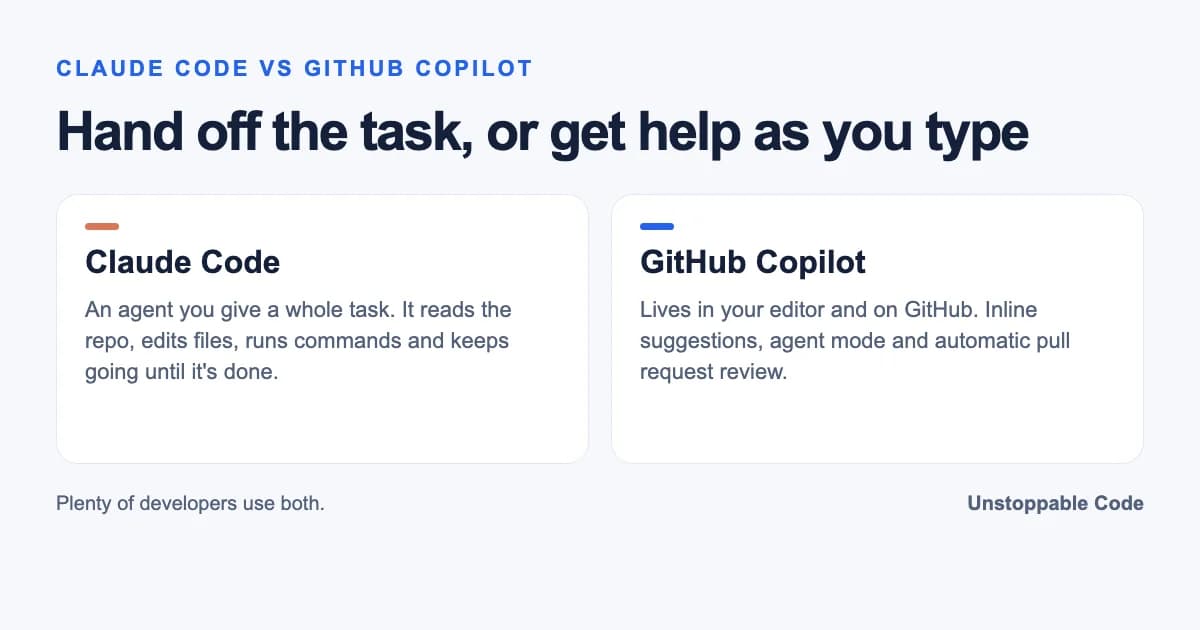

Claude Code is Anthropic's coding agent that you hand a whole task to, while GitHub Copilot is GitHub's assistant that lives in your editor and on your pull requests. Pick Claude Code for long multi-file work you want done hands off, pick Copilot for inline suggestions and GitHub-native review, and plenty of developers run both.
The Short Answer
| Claude Code | GitHub Copilot | |
|---|---|---|
| Made by | Anthropic | GitHub (Microsoft) |
| Where it runs | Terminal, IDE extensions, desktop app, web | VS Code, Visual Studio, JetBrains, Xcode and more, plus GitHub.com and a CLI |
| Best at | Taking a task and iterating until it's done | Inline completions and pull request review |
| Models | Anthropic's Claude models | Several providers, including Claude |
| Paying for it | Claude subscription or Anthropic Console account | Free, Pro $10, Pro+ $39, Max $100 a month (individual plans) |
| Agent on GitHub issues | The Claude agent inside Copilot | Copilot cloud agent |
Stack Overflow's May 2026 pulse survey had 61% of respondents naming GitHub Copilot among their most used code assistants over the past six months and 51% naming Claude Code. A lot of people are clearly in both camps.
What each one actually is
Anthropic describes Claude Code as "an agentic coding tool that reads your codebase, edits files, runs commands, and integrates with your development tools." You give it a job and it works through it.
GitHub Copilot started as autocomplete and grew. GitHub's docs now split it into assistive features like inline suggestions and agentic ones where "Copilot can work through multiple steps," including agent mode in the editor and a cloud agent that works on issues and opens pull requests.
So both have an agent now. The difference I notice is how much they need me.
Where Claude Code pulls ahead
Copilot's agent mode lives in the editor, like the Cursor agents I was using before, so my comparison here is with editor agents in general. When I moved to Claude Code the gap was obvious.
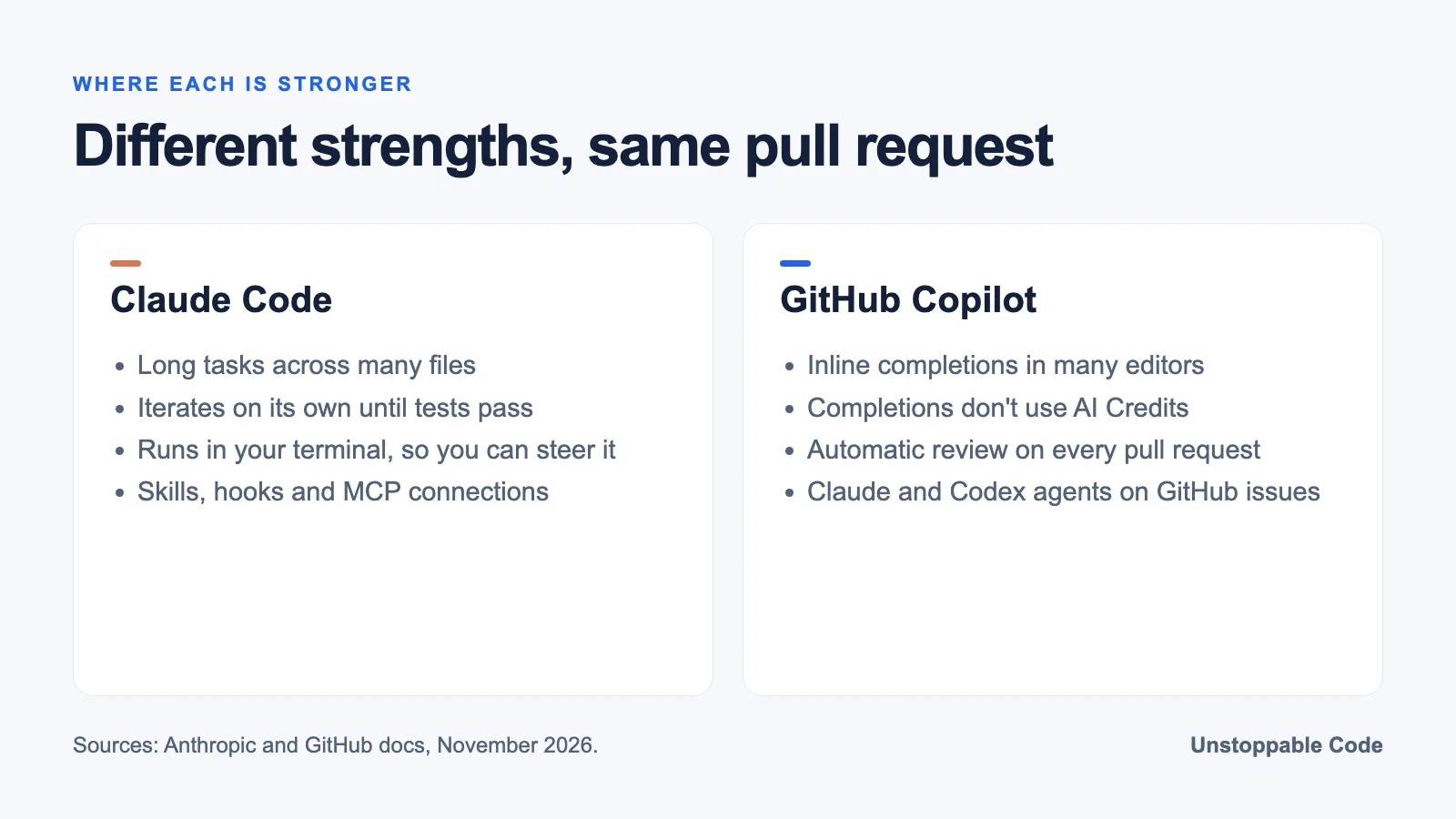
This is definitely a big improvement from my experience in Cursor agents. While good, I've found they require a lot more babysitting and personal interaction to keep the agent moving in the right direction. Key difference for me here is that Claude Code was very hands off and it iterated by itself until finding a solution.
Sometimes it didn't even need a second try.
The API key management UX is one-shot from Claude Code. First attempt at anything UI related, did a nice job and also created the authenticated backend CRUD + DB entity.
Hooking it up to other tools has gotten easy too, which matters once an agent needs your accounts and not just your code.
OAuth is a game changer, my account connection to Unstoppable Domains got picked up by my Claude Code terminal as well. One OAuth persisted across every device / session.
Once it can reach the repo and the CI results, you can hand it the boring end of the job.
OK it fixed merge conflicts, ran CI till green, gained approvals and merged 9 PRs. These were all patch-level PRs, as a proof of concept.
Where GitHub Copilot pulls ahead
Copilot wins on reach. It plugs into a long list of editors, and code completions stay included on every plan without eating into your monthly AI Credits. If most of your day is typing in an editor and you want the next few lines suggested, that's Copilot's home turf. It's good at it.
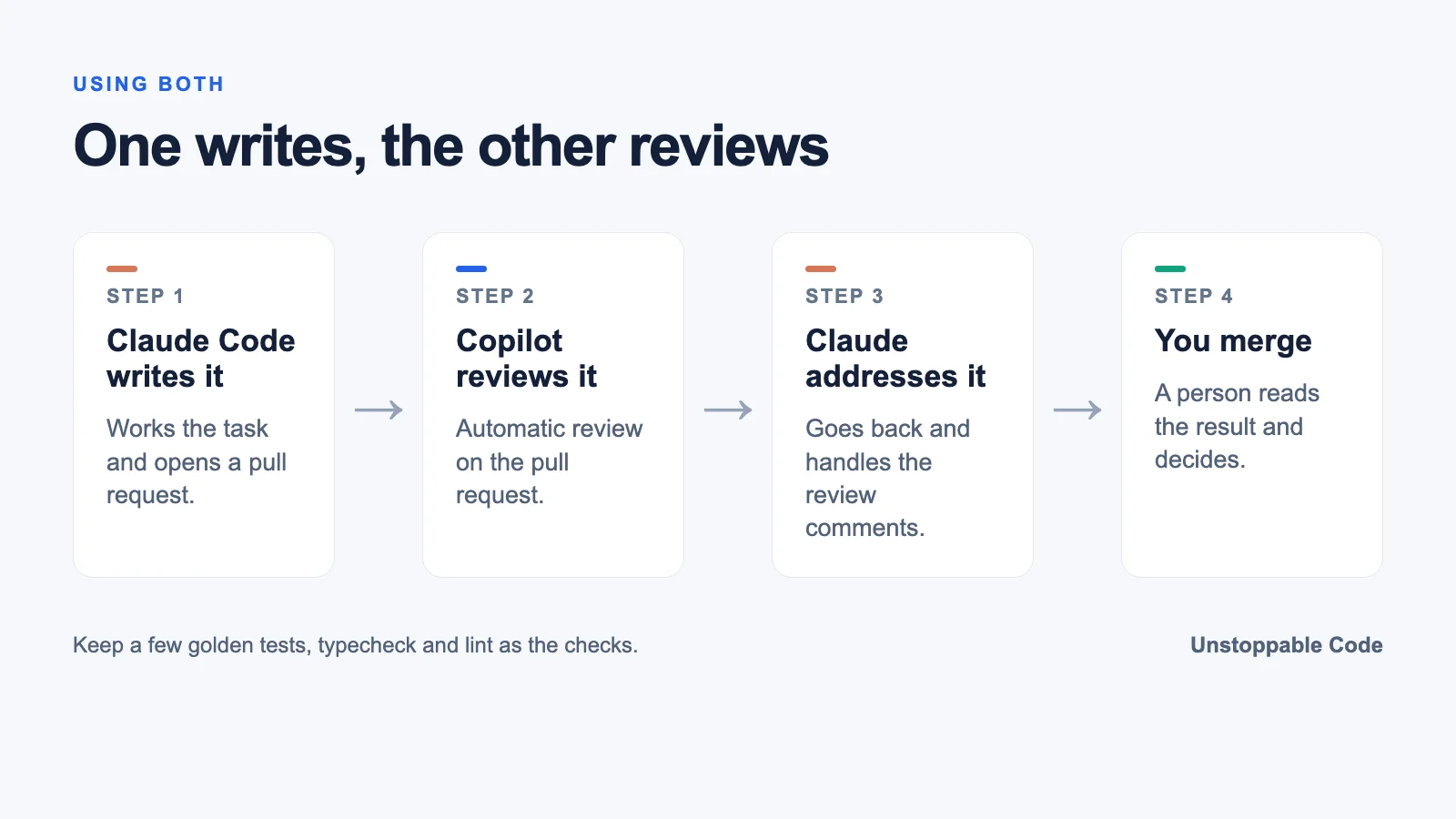
It also knows GitHub. Copilot code review can be set to review every pull request automatically, on open or on every push, and repo or org owners can turn that on for everyone. My own setup uses that. Copilot reviews each pull request automatically and then I tell Claude to go address Copilot's requests.
You can run Claude inside Copilot now
The line between them got blurry in February 2026, when GitHub put Anthropic's Claude and OpenAI's Codex into public preview as agents on GitHub and in VS Code. You can assign an issue to Copilot, Claude, Codex or all three and compare the draft pull requests they send back. GitHub's docs say the Claude agent uses the Claude Agent SDK and can be powered by your existing Copilot subscription.
That's handy if your company already pays for Copilot. One catch. The agent runs on GitHub's side, opening pull requests, rather than in your terminal where you can steer it as it goes.
What they cost in 2026
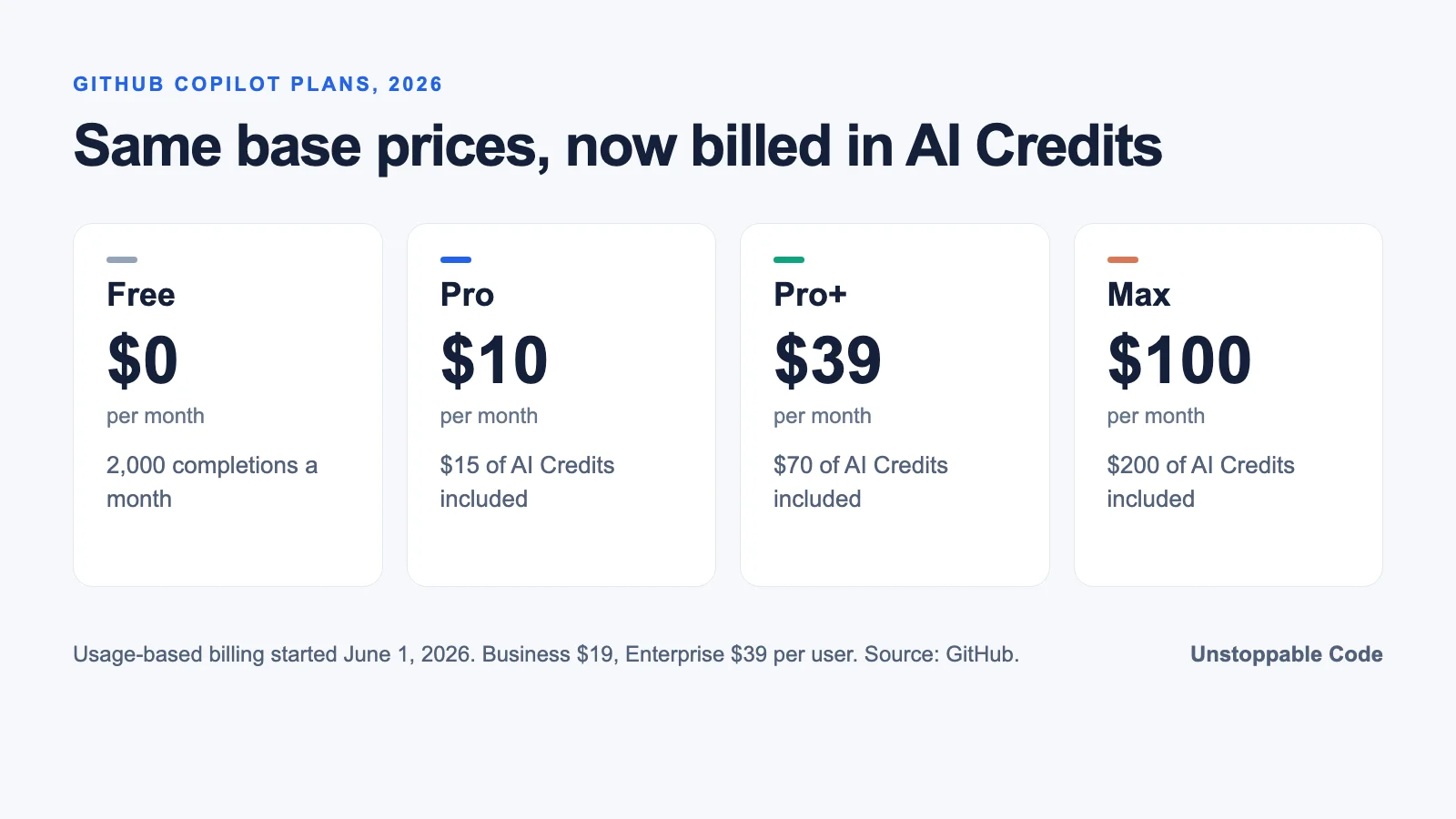
GitHub moved every Copilot plan to usage-based billing on June 1, 2026. Premium requests became GitHub AI Credits (1 credit is $0.01) and usage is counted by tokens. GitHub kept base prices where they were: Free at $0, Pro at $10, Pro+ at $39 and Max at $100 a month, with Business at $19 and Enterprise at $39 per user. Agent mode, code review and the cloud agent spend credits, and code review also uses GitHub Actions minutes.
Claude Code comes with a Claude subscription or an Anthropic Console account, so the cost depends on which plan or API usage you already have. Check both pricing pages before you commit a team.
Using both without making a mess
Whichever one writes the code, keep its instructions short and its checks real. Both tools read standing instructions, and Claude Code has skills on top. I don't lean on those too hard. A skill is at the end of the day a pile of prose that you hope the agent follows.
The checks are what actually hold the agent to the job. Keep a few golden tests, typecheck, lint, that's it.
Then let the second tool review the first. Copilot is good at catching things on the pull request, and Claude is good at going back and fixing them. Developers aren't handing either one the keys yet, either. Stack Overflow's survey found 63% still rarely or never let agents run entirely on autopilot.
How I run both in Unstoppable Code
In Unstoppable Code I connect my GitHub Copilot account next to Claude and Codex, so Copilot models show up in the same model picker and my Copilot plan's limits apply. Then I chain them in an On demand workflow.
The pipeline is good at mixing models for different steps, and adding structured code steps mixed with agent steps. To me a pipeline is more deterministic, it's a structured YAML file that defines the process.
It may not be for everyone, but I like having a structure to how my skill steps will work with each other and which models they will use defined.
You keep the plans you already have. Matt Gould, our CEO, puts it in one line.
Our app enhances what you already pay for.
For the Claude-plus-Codex version of this, see when to use Codex vs Claude Code, or review a branch with two models before you merge.
I'm automation crazy, Unstoppable Code is legit saving me so much time.
Frequently Asked Questions
Is Claude Code better than GitHub Copilot? For long, multi-file tasks you want done with little steering, many developers prefer Claude Code. For inline suggestions and pull request review inside GitHub, Copilot is hard to beat.
Can GitHub Copilot use Claude? Yes. Copilot offers Claude models in its model picker, and since February 2026 GitHub has offered Anthropic's Claude as a coding agent on GitHub and in VS Code on supported Copilot plans.
How much does GitHub Copilot cost in 2026? Individual plans are Free, Pro at $10, Pro+ at $39 and Max at $100 a month. Business is $19 and Enterprise is $39 per user. Since June 1, 2026, agent and review usage is billed in GitHub AI Credits.
Can I use Claude Code and GitHub Copilot together? Yes. A common setup has Claude Code write the change and Copilot review the pull request, then Claude addresses the review comments before a person merges.
Does Claude Code work in VS Code? Yes. Claude Code runs in the terminal and also has IDE extensions, a desktop app and a web version.
Sources
- Claude Code overview, Anthropic, checked November 20, 2026.
- What is GitHub Copilot?, GitHub Docs, checked November 20, 2026.
- Pick your agent: Use Claude and Codex on Agent HQ, GitHub Blog, February 4, 2026, checked November 20, 2026.
- Anthropic Claude coding agent, GitHub Docs, checked November 20, 2026.
- GitHub Copilot is moving to usage-based billing, GitHub Blog, April 27, 2026, checked November 20, 2026.
- GitHub Copilot plans, checked November 20, 2026.
- Copilot code review, GitHub Docs, checked November 20, 2026.
- Agents on a leash: agentic AI remains mostly monitored at work, Stack Overflow Blog, May 27, 2026, checked November 20, 2026.