
Comments let you change one part of a plan without asking the agent to rewrite all of it. You collect comments on the passages that need work, then send them to the agent together, and it revises those parts.
Before you start
- Code projects only. Plans belong to a worktree.
- Open a plan in its panel. See Plan a change with Plan mode.
- Comment on the latest revision. If you're viewing an older one, switch the revision picker back to Latest.
Comment on a passage
- On the Document tab, select the text you want to comment on. A comment box opens with that text quoted.
- Type your comment, then select Comment, or press Enter.
The comment joins the comments tray at the bottom of the panel, marked Not sent. Nothing reaches the agent yet.
Comment on a diagram node
- On the Diagram tab, select a node.
- Select + Add comment, type your comment, then select Save comment.
Add a general note
For a comment about the whole plan, select + Add comment in the comments tray, type your note, then select Add.
Change a comment before you send it
Comments that aren't sent yet can still change. In the tray, use the pencil icon (Edit comment) or the trash icon (Delete comment) on the comment.
Send your comments to the agent
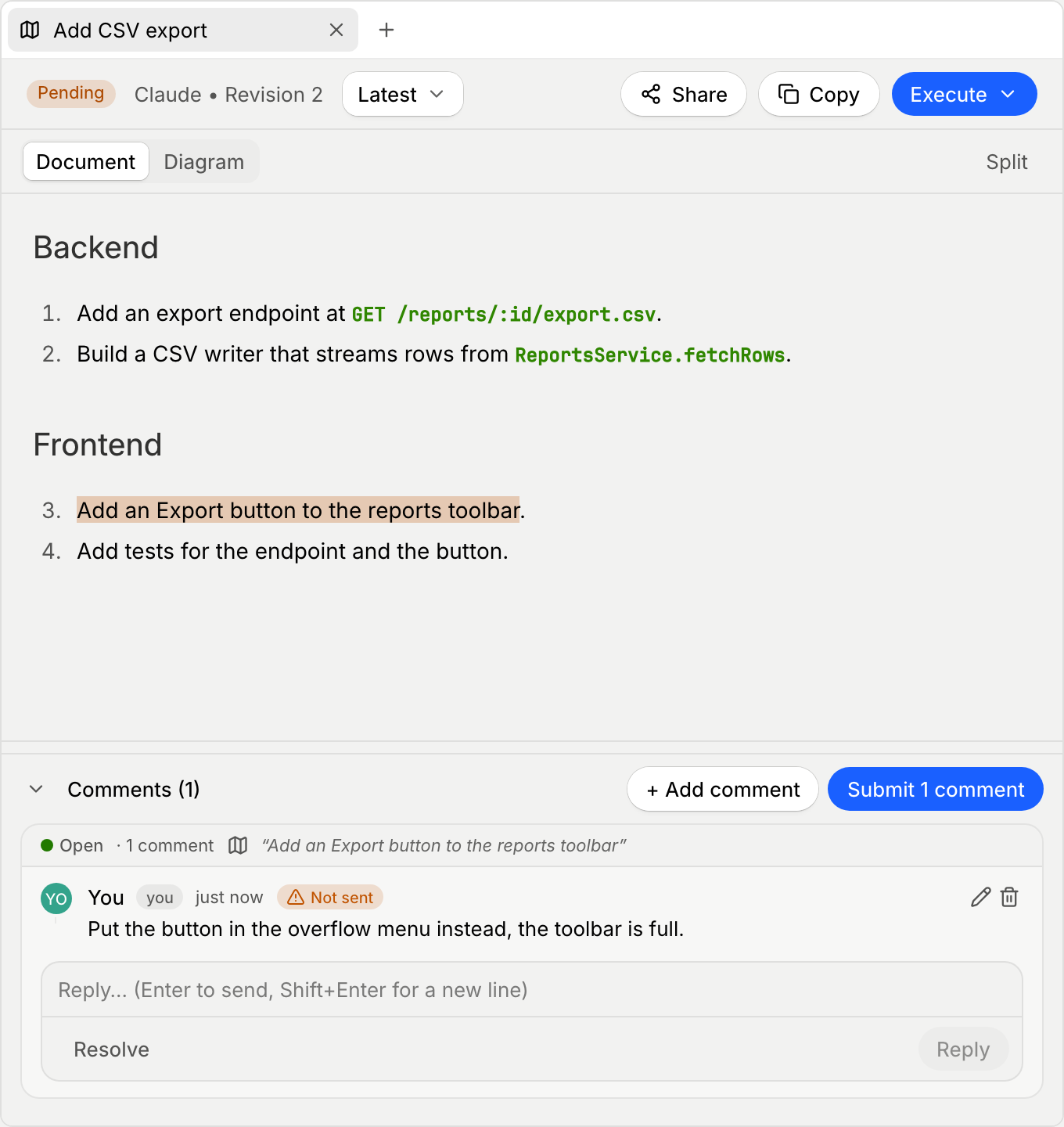
When you're ready, select Submit N comments in the tray header, such as Submit 3 comments. Every unsent comment goes to the worktree's chat in one message, and the agent revises the plan. The revised plan is saved as a new revision.
If the comments can't be sent, the app shows "Couldn't send comments to chat. Try again." and keeps every comment unsent.
If the plan prompt appears while you still have comments that weren't sent, it adds Address N comments first, such as Address 2 comments first. Select it to send them to the agent instead of approving the plan.
Reply to and resolve threads
Each comment starts a thread. The agent can answer in the thread and resolve it once it has made the change.
- Select Reply to add to a thread.
- Select Resolve when a thread is done, or Reopen to pick it up again.
- Resolved threads, and threads whose text changed in a later revision, move under Show resolved & outdated (N). Select it to see them again.
Comments from teammates
When you share a plan with your team, teammates can comment on it from the web. Their comments appear in the tray with their names, and they're sent to the agent with yours the next time you select Submit N comments. See Share a plan with your team.